We're glad you're interested in joining us! Please follow the steps below to ensure your application process is a seamless experience.
¶ Get setup in CIV1L Auth
- Navigate to CIV1L Auth and log in using your EVE main character
- Add your main character on the Dashboard tab
- Navigate to Groups and request access to the
Applicantgroup - Navigate to Applications and click the Create Application button.
- This will pop up a brief questionnaire - it'll tell you a bit about us, and it'll give you a chance to tell us about you.
- Please fill this out in its entirety.
¶ Connect Auth to Discord
Link your Auth account to Discord by navigating to Services and enable the Discord service. This will also join your Discord account to our server if you're not already there.
¶ Contact Recruiters
Once you've completed everything listed above, you will need to connect with a recruiter to evaluate whether the corp would be a good fit for you.
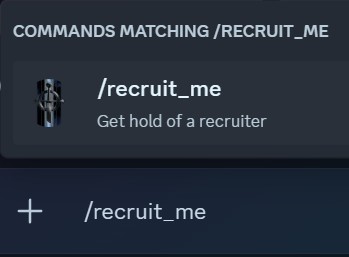
Go into Discord and type /recruit_me. This will create a new thread in Discord with all recruiters for which the application process will continue.
¶ Add all other EVE Characters
After you're instructed to do so by a recruiter, all your characters are required to be added into the Auth application in order to proceed with the application process. First, click on Character Audit on the left navigation menu:

Then click Add Character in the top right.

Log into each EVE account you own and select the character. You may need to sign out of your EVE account at this stage to switch to a different account.
Repeat this step for every character on every account that you control, so the application process can continue to the next phase.
¶ Log into the Wiki
Once you're established in Auth, you'll need to Login into the Wiki.

You can do this by clicking the portrait in the top right cornern, which will refresh your permissions and allow you to see onboarding instructions should you be accepted into the corp.